
திருவண்ணாமலை கார்த்திகை தீபத் திருவிழா 2025 – முதல் நாள் இரவு..!
திருவண்ணாமலை அருள்மிகு அருணாசலேஸ்வரர் திருக்கோவில் திருக்கார்த்திகை தீபத் திருவிழா முதல் நாளான நேற்று (24.11.2025) விநாயகர்- மூஷிக வாகனத்திலும், சுப்பிரமணியர்- மயில் வாகனத்திலும், அண்ணாமலையார் – வெள்ளி அதிகார நந்தி வாகனத்திலும், அம்மன் – வெள்ளி அன்ன வாகனத்திலும், சண்டிகேஸ்வரர்- அதிகார நந்தி வாகனத்திலும் எழுந்தருளி மாட வீதி உலா வந்து பக்தர்களுக்கு அருள்பாலித்தார்.
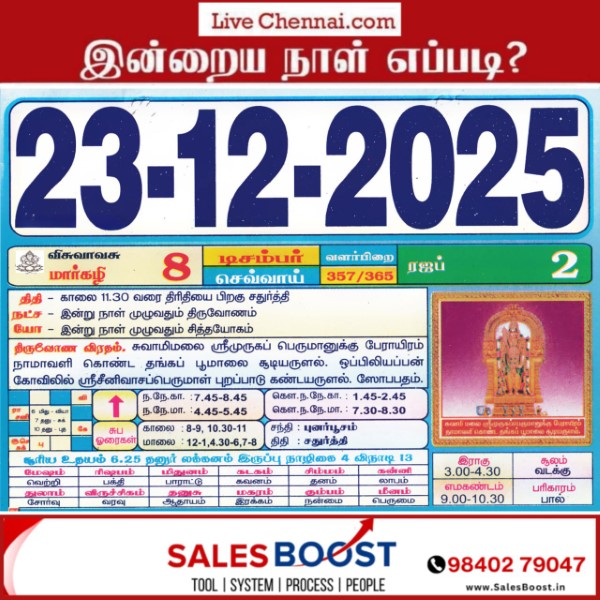
Auspicious (Nalla Neram) time today (Nov 25th)
| November 25, 2025 – Tuesday | Karthigai 09 | Visuvavasu Year | |||
|---|---|---|---|
| Auspicious Timings | |||
| Morning | 8:15 AM – 9:00 AM | ||
| Evening | 4:45 PM – 5:45 PM | ||
| Shubh Hora Timings | |||
| Morning | 8-9,10.30-11 AM | ||
| Evening | 12-1, 4.30-6,7-8 PM | ||
| Inauspicious Timings | |||
| Emakandam | 09:00 AM – 10:30 AM | ||
| Gulikai | 12:00 PM – 01:30 PM | ||
| Rahu | 03:00 PM – 04:30 PM | ||
| Astrological Details | |||
| Thithi | Panchami | ||
| Nakshatram | Uttara Ashadha | ||
| Chandrashtamam | Mrigashira | ||
| Sulam | North | ||
| Remedy | Milk | ||
விநாயகர் மற்றும் சண்டிகேஸ்வரருக்கு சிறப்பு அபிஷேகம்!
How to Pay Non-Tax Dues Online Easily!!
Service Code: CMA-601 | Department: Commissionerate of Municipal Administration
Purpose:
The Collection of Non Tax service enables property owners to pay their outstanding non-tax dues to municipal administrations through the e-District portal. This service is designed for:
– Property owners in municipal areas outside Chennai Corporation
– Business establishments with municipal non-tax obligations
– Authorized representatives handling municipal payments
– Residents of various municipal administrations across Tamil Nadu
Required Information:
Mandatory Search Criteria:
– ULB Code (Urban Local Body Code)
– Allotment Number (either New Allotment No. or Old Allotment No.)
Special Requirements:
– Existing Property: Must have a registered property with municipal administration
– DCB Details: System displays month-wise and year-wise outstanding demands
– Cumulative Balance: Shows running total of all outstanding amounts
– Payment Flexibility: Can pay any amount towards total dues
– Multiple ULBs: Service covers various municipal administrations across Tamil Nadu
Step-by-Step Payment Process:
1. Visit the Portal: Login to e-Sevai Tamil Nadu http://tnesevai.tn.gov.in/ portal as Operator
2. Navigate to Service: Click on Services – Commissionerate of Municipal Administration – CMA-601 Collection of Non Tax
3. Click Proceed: On the service description page, click Proceed button
4. Enter Property Details:
– Select ULB Code (Mandatory – selects specific municipality)
– Enter either New Allotment No. or Old Allotment No. (Mandatory)
– Click Search
5. Verify Property Details: System displays:
– Owner Name and Address
– Property Type (e.g., Building)
– Property Number and Ward Number
– ULB/Municipality Name
6. Review DCB Details: System shows detailed breakdown:
– Period-wise demands (monthly and yearly)
– Service Tax amounts
– Tax Demand Amount (original due)
– Tax Collected Amount (already paid)
– Total Balance Amount (outstanding per period)
– Cumulative Balance Amount (running total)
7. Make Payment:
– Enter Amount To Be Paid (can be partial or full amount)
– Click Make Payment
8. Download Receipt: After successful payment:
– Click Get Receipt to download payment receipt
– Save/print the receipt for your records
Alternative CSC Centre Method:
Property owners may also pay non-tax dues through any Common Service Centre (CSC) where trained operators assist with:
– ULB code and allotment number verification
/>- DCB details explanation
– Payment amount calculation
– Payment processing
– Receipt download and printing
After Payment:
– Instant Receipt: Payment receipt available immediately
– Digital Record: Payment recorded in municipal database
– Proof of Payment: Downloadable receipt serves as payment proof
– No Physical Visit: Entire process completed online
Important Notes:
– Mandatory Fields: ULB Code and Allotment Number are both required for search
– Multiple Municipalities: Service covers various ULBs across Tamil Nadu (not just Chennai)
– Detailed Breakdown: System shows period-wise DCB details with cumulative totals
– Flexible Payment: Can pay any amount towards total outstanding balance
– Receipt Details: Includes property information, payment breakdown, and transaction details
– Property Types: Covers various property types including buildings, commercial establishments, etc.
– Historical Data: Shows demands from previous years with complete payment history
– Commissionerate of Municipal Administration: Service covers multiple municipal administrations across the state
Apply Online: http://tnesevai.tn.gov.in/
Assistance: Visit your nearest e-Sevai / CSC Centre
This guide is based on the Commissionerate of Municipal Administration User Manual. Government of Tamil Nadu, 2016.