by vellorecity | Sep 29, 2025 | How to apply, News
Service Code: REV-118 | Department Charges: ₹0 | Service Charge: ₹60
Purpose:
The Solvency Certificate certifies an individual’s financial stability and ability to meet obligations. It is required for:
– Participating in government tenders and contracts
– Obtaining business licenses and permits
– Legal and court proceedings
– Visa and immigration applications
– Large financial transactions and loan applications
– Bid participation and business registration
Required Documents:
– Recent passport-size photo (Max 50 KB)
– Solvency proof of applicant
– Encumbrance Certificate
– Latest Guideline Value Statement
– Liability Amount Certificate
– Mortgage Certificate
– Property Tax receipts
– Chitta or Patta (land ownership records)
– Self-Declaration Form (download from portal)
– Additional (if applicable):
– Building Value Assessment
– Lease Agreement
– Other supporting financial documents
Special Requirements:
– Applicant must have a valid Citizen Access Number (CAN)
– Provide detailed property and asset information
– Solvency Amount must meet or exceed required amount
– Property Valuation must reflect current market value
– Government employees must provide monthly salary details
Application Process:
1. Get CAN (Citizen Access Number)
– Visit: https://tnedistrict.tn.gov.in
– Register using Aadhaar & OTP to get permanent CAN
2. Apply for Solvency Certificate
– Log in with your CAN
– Go to: Services – Revenue Department – REV-118 Solvency Certificate
3. Fill Application Form
– Personal and parent/spouse details auto-filled from CAN
– Enter solvency required amount and purpose
– If government employee, add monthly salary
– Provide property details (District, Taluk, Village, Survey No., Land/Building, Extent, Market Value, Share %)
– Click Add for each property
– Ensure Total Solvency Amount ≥ required solvency
4. Upload Documents
– Attach all property and financial proofs in correct format
5. Payment Process
– Step 1: Submit application
– Step 2: After verification, pay via Bank Challan
– Upload scanned challan copy + enter challan details
– Click Proceed to Pay to confirm
6. Download Acknowledgement
– Save/print receipt for tracking
Alternative Method (CSC Centre – Recommended):
– Visit nearest eSevai / CSC Centre
– Operators assist with CAN registration, property details, scanning, challan payment
– Pay the same ₹60 service charge
After Application:
– Track status using Application Number under ‘ChCheck Status’
– Application verified by VAO, RI, and Tahsildar
– Pay Challan after verification stage
– Once approved, download digitally signed Solvency Certificate
– CSC operator prints and delivers certificate
Important Notes:
– Ensure all financial/property details are accurate and verifiable
– Upload complete financial proofs for approval
– Two-stage payment: Online submission + Bank Challan after verification
– Solvency calculated from property values and share percentage
– Drafts can be saved and resumed later
– File size: Photo max 50 KB, Docs max 200 KB
– Formats supported: PDF, JPEG, JPG, PNG
– Certificate is digitally signed and requires no manual signature
– Verification chain includes VAO → RI → Tahsildar
Apply Online: https://tnedistrict.tn.gov.in
For Assistance: Visit nearest eSevai / CSC Centre
This guide is based on the Tamil Nadu e-District User Manual (REV-118). Government of Tamil Nadu, 2016.
by vellorecity | Sep 27, 2025 | How to apply, News
Service Code: REV-117 | Department Charges: ₹0 | Service Charge: ₹60
Purpose:
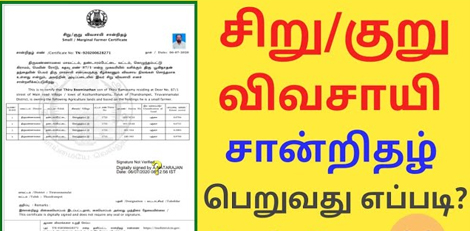
The Small/Marginal Farmer Certificate certifies an individual’s status as a small or marginal farmer based on land ownership. It is essential for:
– Availing agricultural subsidies and government schemes
– Accessing crop insurance and loan benefits
– Participating in farmer welfare programs
– Obtaining agricultural input subsidies
– Eligibility for various agricultural development schemes
Required Documents:
– Recent passport-size photo (Max 50 KB)
– Ration Card or Address Proof
– Aadhaar Card
– Self-Declaration Form (download from portal)
– Land Ownership Proof Documents:
– Chitta (Land revenue record)
– Adangal (Cultivation record)
– Encumbrance Certificate
– Registered Sale Deeds of lands
– Any other supporting documents
Special Requirements:
– Applicant must have a valid Citizen Access Number (CAN)
– Provide comprehensive land details
– Total land area automatically calculated by the system
– Certification based on landholding size as per government norms
Application Process:
1. Get CAN (Citizen Access Number)
– Visit: https://tnedistrict.tn.gov.in
– Register using Aadhaar & OTP to get your permanent CAN
2. Apply for Small/Marginal Farmer Certificate
– Log in with your CAN
– Go to: Services – Revenue Department – REV-117 Small/Marginal Farmer Certificate
3. Fill Application Form
– Personal details auto-filled from CAN
– Enter land details (District, Taluk, Village, Land Type, Survey No., Patta No., Land Area, Land Value, Share %)
– Click Add for each land parcel
– System calculates Total Land Area automatically
4. Upload Documents
– Attach Photo, Ration/Aadhaar, Chitta, Adangal, Encumbrance Certificate, Self-Declaration
5. Pay Online
– Pay the service charge of ₹60
6. Download Acknowledgement
– Save or print receipt for tracking
Alternative Method (CSC Centre – Recommended):
– Visit nearest eSevai / CSC Centre
– Operators assist with CAN registration, land details, document scanning, and payment
– Pay the same ₹60 service charge
After Application:
– Track status using Application Number under ‘Check Status’
– Application verified by VAO/Revenue authorities
– Download digitally signed certificate after approval
– Certificate confirms small/marginal farmer status
– CSC operator delivers printed certificate
Important Notes:
– Ensure all land details are accurate and supported by documents
– Chitta, A Adangal, Encumbrance Certificates are crucial
– Self-Declaration form is mandatory
– Applications can be saved as draft and completed later
– Photo max 50 KB, documents max 200 KB
– Supported formats: PDF, JPEG, JPG, PNG
– Certificate is digitally signed and verified online
Apply Online: https://tnedistrict.tn.gov.in
For Assistance: Visit nearest eSevai / CSC Centre
This guide is based on the Tamil Nadu e-District User Manual (REV-117). Government of Tamil Nadu, 2016.
by vellorecity | Sep 26, 2025 | How to apply, News
Service Code: REV-116 | Department Charges: ₹0 | Service Charge: ₹60
Purpose:
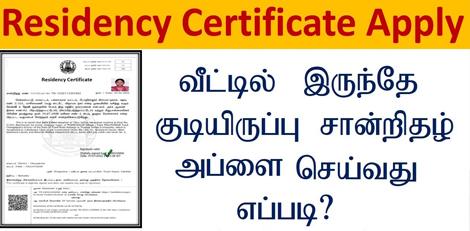
The Residence Certificate is an official document that certifies a person’s ordinary residence in Tamil Nadu. It is required for:
– School/college admissions
– Government job applications
– Scholarship applications and education benefits
– Proof of local residence for legal or official purposes
– Accessing government schemes based on residence
Required Documents:
– Recent passport-size photo (Max 50 KB)
– Current Address Proof (any one):
– Passport / Driving Licence / PAN Card
– Voter ID / NPR Document
– Smart Card (Central/State Govt. issued)
– Health Insurance Card with photo
– Official Identity Card
– Self-Declaration Form (download from portal)
Special Requirements:
– Applicant must have a valid Citizen Access Number (CAN)
– Must provide address details for the past 1–5 years (most recent first)
– Certificate validates ordinary residence in the specified area
– All addresses must be verifiable with documents
Application Process:
1. Get CAN (Citizen Access Number)
– Visit: https://tnedistrict.tn.gov.in
– Register using Aadhaar & OTP to get your permanent CAN
2. Apply for Residence Certificate
– Log in with your CAN
– Go to: Services – Revenue Department – REV-116 Residence Certificate
3. Fill Application Form
– Personal details auto-filled from CAN
– Enter address history (Revenue Village, Street, House No., Pincode, Dates)
– System calculates total years of residence
4. Upload Documents
– Attach Photo, Address Proof, Self-Declaration in correct size/format
5. Pay Online
– Pay the service charge of ₹60
6. Download Acknowledgement
– Save or print receipt for future tracking
Alternative Method (CSC Centre – Recommended):
– Visit nearest eSevai / CSC Centre
– Operators assist with CAN registration, address entry, document scanning, and payment
– Pay the same ₹60 service charge
After Application:
– Track status using Application Number under ‘Check Status’
– Application verified by VAO/Revenue authorities
– Download your digitally signed Residence Certificate after approval
– Certificate contains QR code & digital signature for online verification
Important Notes:
– Enter address history in proper chronological order
– Uploaded documents must be clear, current, and valid
– Photo limit: 50 KB | Document limit: 200 KB
– <sFormats accepted: PDF, JPEG, JPG
– Applications can be saved as draft and completed later
– Certificate is digitally signed and does not require a physical signature</s
Apply Online: https://tnedistrict.tn.gov.in
For Assistance: Visit nearest eSevai / CSC Centre
This guide is based on the Tamil Nadu e-District User Manual (REV-116). Government of Tamil Nadu, 2016.

by vellorecity | Sep 25, 2025 | How to apply, News
Service Code: REV-115 | Department Charges: ₹0 | Service Charge: ₹60
Purpose:
The Other Backward Classes (OBC) Certificate is an official document that certifies a person’s belonging to a recognized backward class community in Tamil Nadu. It is essential for:
– Reservation benefits in education and government jobs
– Applying for scholarships and welfare schemes
– Professional course admissions and competitive exams
– Availing government subsidies and concessions
Required Documents:
– Recent passport-size photo (Max 50 KB)
– Ration Card or Address Proof
– Existing Community Certificate (if available)
– Self-Declaration Form (download from portal)
– Income Proof – IT Return / Payslip / Income Certificate
– Parental income proof or caste validation documents (if applicable)
Special Requirements:
– Applicant must have a valid Citizen Access Number (CAN)
– Non-Creamy Layer Declaration is mandatory
– Caste name and serial number from OBC list must be accurate
– Applicant must provide details of father’s/mother’s occupation
Application Process:
1. Get CAN (Citizen Access Number)
– Visit: https://tnedistrict.tn.gov.in
– Register using Aadhaar & OTP to get your permanent CAN
2. Apply for OBC Certificate
– Log in with your CAN
– Go to: Services – Revenue Department – REV-115 OBC Certificate
3. Fill Application Form
– Personal and address details auto-filled from CAN
– Enter religion, caste, occupation, OBC serial number
– Provide details of father/mother (alive status, occupation, employment)
– Accept non-creamy layer declaration
4. Upload Documents
– Attach all required files clearly in the correct format
5. Pay Online
– Pay the service charge of ₹60
6. Download Acknowledgement
– Save or print receipt for tracking
Alternative Method (CSC Centre – Recommended):
– Visit your nearest eSevai / CSC Centre
– Operators will assist with CAN registration, document scanning, form filling, and payment
– Pay the same ₹60 service charge
After Application:
– Track status with your Application Number under `Check Status`
– Application verified by VAO/Revenue authorities
– Once approved, download your digitally signed OBC Certificate with QR code and unique number
– Validity: Usually 6 months to 1 year
Important Notes:
– Provide accurate caste name and OBC list serial number
– Non-Creamy Layer declaration is mandatory
– Ensure all uploaded documents are clear andnd valid
– Applications can be saved as draft and completed later
– Certificate is digitally signed and can be verified online
Apply Online: https://tnedistrict.tn.gov.in
For Assistance: Visit nearest eSevai / CSC Centre
by vellorecity | Sep 24, 2025 | How to apply, News
Service Code: REV-114 | Department Charges: ₹0 | Service Charge: ₹60
Purpose:
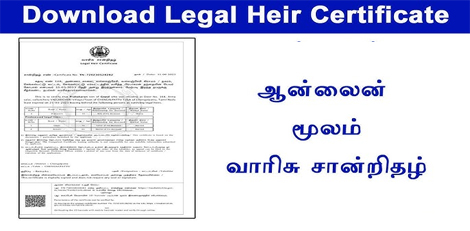
The Legal Heir Certificate is an official document that establishes the relationship between the deceased and their legal heirs (spouse, children, parents, etc.). It is required for:
– Claiming inheritance and transferring property, bank accounts, and assets
– Settling insurance claims and pension benefits
– Government service benefits transfer
– Other legal and financial purposes after death
Required Documents:
– Death Certificate of the deceased
– Address Proof of the deceased (last place of residence)
– Self-Declaration of the spouse/applicant listing all legal heirs
Relationship Verification Documents (as applicable):
– Marriage Proof (Marriage Certificate, Passport, Voter ID, Aadhaar)
– Children’s Proof (Birth Certificates or School Transfer Certificates)
– ID Proofs of all heirs (Birth Certificate, Community Certificate, Aadhaar, Passport, TC, NPR, Employee Record)
Special Circumstances:
– If multiple marriages: Death Certificate of first spouse / divorce decree / second marriage proof
– If parents are heirs: Parents’ Death Certificates or self-declaration
– For adopted heirs: Legal adoption proof / Guardianship order
Special Requirement:
– Applicant must have a valid Citizen Access Number (CAN)
– If no CAN, register first on the e-District portal using Aadhaar and OTP verification
Application Process:
1. Get CAN
– Visit: https://tnedistrict.tn.gov.in
– Register using Aadhaar and obtain a permanent CAN
2. Apply for Certificate
– Log in to e-District portal
– Navigate: Services – Revenue Department – REV-114 Legal Heir Certificate
3. Fill Application Form
– Enter Deceased Details (Name, Date/Place of Death, Death Certificate No., Parents’ details)
– Enter Address of Deceased
– Add Legal Heirs Details (Name, Age, Relationship, Marital/Living Status)
– Enter Petitioner’s Relationship to the deceased
4. Upload Documents
– Attach all required documents clearly in the correct format
5. Pay Online
– Service Charge: ₹60
6. Download Acknowledgement
– Save/print receipt for tracking
Alternative Method (CSC Centre – Recommended):
– Visit nearest eSevai/CSC Centre
– Operators help with CAN registration, document scanning, payment, and submission
– Pay the same ₹60 service charge
After Application:
– Track Status: Check with application number on portal
– Application verified by VAO / Revenue authorities
– Once approved, download digitally signed certificate with QR code
Important Notes:
– Keep application number safe for tracking
– Ensure all uploaded documents are clear and valid
– Certificate can be verified online via QR code/unique number
– Draft applications can be saved and continued later
Apply Online: https://tnedistrict.tn.gov.in
For Assistance: Visit nearest eSevai/CSC Centre
by vellorecity | Sep 18, 2025 | How to apply, News
Service Code: REV-107 | Department Charges: ₹0 | Service Charge: ₹50
Purpose:
This certificate is for citizens migrating from one place to another, primarily used for transferring employment registration between districts.
Required Documents:
– Recent passport size photograph (Max 50 KB)
– Any Address Proof (Aadhaar/Ration Card/Utility Bill etc.)
– Self-Declaration Form (Download from portal)
– Marriage Invitation or Marriage Certificate (If applicable)
– Previous Residence Address Proof Document
– Other supporting documents (if any)
Application Process:
1. Get Citizen Access Number (CAN) – Mandatory First Step
– Visit: https://tnedistrict.tn.gov.in
– Register for free CAN using Aadhaar and basic details
– CAN serves as your permanent digital ID for all certificates
2. Apply for Certificate
– Log in to e-District portal with your CAN
– Navigate to: Services – Revenue Department
– Select: REV-107 Family Migration Certificate
3. Fill Application Form
– Must specify: Nature of Migration (Single/Family)
– Personal details auto-filled from CAN
– Provide: NPR Family No / Aadhaar No
– Provide: Number of years at current address
– Provide: Previous address details
– Add: Family members` details (Name, Age, Relation, Dependency)
– Provide: Reason for migration (e.g., “Job transfer”)
– Provide: Smart Card No./Ration Card No.
– Upload all required documents
– Pay ₹50 service charge online
Alternative Method – Recommended:
Visit nearest eSevai / CSC Centre
– Operators provide complete assistance
– Help with document scanning and upload
– Same ₹50 service charge applies
After Application:
– Track Status: Use application number under `Check Status`
– Application verified by VAO (Village Administrative Officer)
– Download digitally signed certificate after approval
– Certificate contains a QR code for online verification
Important Notes:
– Ensure all address proofs are current and valid
– Keep application number safe for tracking
– Certificate can be verified online via QR code/unique number
– Required for employment registration transfer between districts