
by vellorecity | Oct 13, 2025 | How to apply, News
Service Code: REV-201 | Department: Revenue Department | Service Charge: ₹10
Purpose:
The Indira Gandhi National Old Age Pension Scheme (IGNOAPS) provides financial assistance to elderly citizens from Below Poverty Line (BPL) families. It is designed for:
– Elderly citizens aged 60 years and above
– Individuals from BPL families
– Destitute elderly without regular financial support
– Senior citizens without means of subsistence
Required Documents:
Mandatory:
– Applicant Photo (recent passport-sized)
– Aadhaar Card
– Aadhaar Consent Form (downloadable from portal)
– Smart Card / Ration Card / Any Address Proof
– Self-Declaration of Applicant (downloadable from portal)
– Any Identity Proof (Voter ID, Passport, PAN, Driving License)
– Bank Passbook
Special Requirements:
– Applicant must have a valid Citizen Access Number (CAN)
– Age Requirement: Must be 60 years or above
– BPL Status: Must belong to Below Poverty Line family
– Bank Account: Required for direct benefit transfer
– Aadhaar Mandatory: Both number and consent form compulsory
– Destitute Status: Must declare if applicable
– Family Support: Must declare support availability from major son/grandson above 20 years
Step-by-Step Application Process:
1. Visit the Portal: Login to [e-Sevai Tamil Nadu](https://tnedistrict.tn.gov.in) portal as Operator
2. Navigate to Service: Services – Revenue Department – REV-201 Indira Gandhi National Old Age Pension Scheme
3. CAN Verification:
– If applicant has CAN: Search by CAN number/name and proceed
– If not: Click “Register CAN”, complete OTP verification, obtain CAN number
4. Complete Application Form:
– Section 1: Applicant Details (auto-filled)
– Section 2: Current Address (auto-filled)
– Section 3: Permanent Address (auto-filled)
– Section 4: Contact Details (auto-filled)
– Section 5: Bank/Post Office Details – Aadhaar number, account number, IFSC
– Section 6: Other Details – destitute status, BPL status, house ownership, family support
– Section 7: Family Income Details – enter income for all family members
– Section 8: Property Details – enter property details for all family members
5. Upload Documents: Attach all required documents in specified formats
6. Payment: Click Make Payment > Confirm payment of ₹10
7. Acknowledgement: Download and print receipt for tracking
Alternative CSC Centre Method:
Applicants may apply through Common Service Centres (CSC) where operators assist with:
– CAN registration
– Form filling and document collection
– Document scanning and upload
– Payment processing
– Application submission and tracking g
– Eligibility guidance
After Submission:
– Track Status: Use Application Number via portal
– Saved Applications: Drafts available in “Saved Application” section
– Verification: Reviewed by VAO/Revenue authorities for eligibility
– Approval: Download digitally signed pension approval certificate once approved
– Certificate Details: Includes pension approval, beneficiary information, and payment details
– Delivery: CSC operator prints and hands over certificate if applied via CSC
Important Notes:
– Eligibility: Strictly for citizens aged 60+ and belonging to BPL families
– Aadhaar Requirement: Mandatory number and consent form
– Bank Account: Essential for pension disbursement
– Document Accuracy: Ensure all documents are valid and clear
– File Size Limits: Photos max 50 KB, documents max 200 KB
– Supported Formats: PDF, JPEG, JPG, PNG
– Digital Signature: Certificate is digitally signed; no physical signature required
– Income Verification: Must provide accurate family member income details
– BPL ID: Required if declaring Below Poverty Line status
Apply Online: https://tnedistrict.tn.gov.in
Assistance: Visit nearest e-Sevai / CSC Centre
by vellorecity | Oct 10, 2025 | How to apply, News
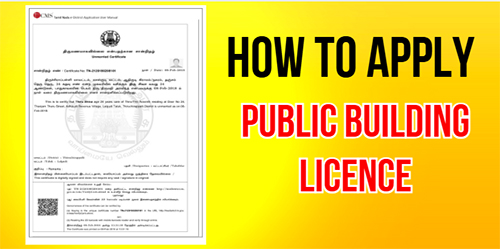
Service Code: REV-404 | Department: Revenue Department | Service Charge: ₹60
Purpose:
The Public Building Licence is an official authorization under the Tamil Nadu Public Buildings (Licensing) Act, 1965 that allows a building to be used for public purposes. It ensures safety, compliance, and accountability for public-use structures such as:
– Hospitals and healthcare facilities
– Educational institutions
– Commercial buildings open to the public
– Auditoriums, halls, and other public spaces
– Any building accessible for public use
Required Documents:
Mandatory:
– Copy of Building Licence
– Building Stability Certificate
– NOC from Fire and Rescue Department
– Sanitary Certificate from Local Body
– Approved Building Plan (by competent authority)
– Ownership Deed / Title Document
– Self-Declaration of Applicant (downloadable from portal)
– Challan Copy (proof of fee payment)
– Address Proof
– Other supporting documents as required
Additional Documents (based on Applicant Type):
– Lease Agreement (for Rental / Lessee)
– Mortgage Document (for Mortgagee in possession)
– Authority Letter / Legal Document (for Societies, Trusts, or Authorized Signatories)
Special Requirements:
– Applicant must have a valid Citizen Access Number (CAN)
– Building Category: Specify whether Government or Private
– Applicant Type: Declare if you are Owner, Lessee, Mortgagee, or Authorized Signatory
– Must provide building location, total extent, and capacity
– Fire NOC and Stability Certificate are mandatory
– Payment: To be made via Bank Challan
Step-by-Step Application Process:
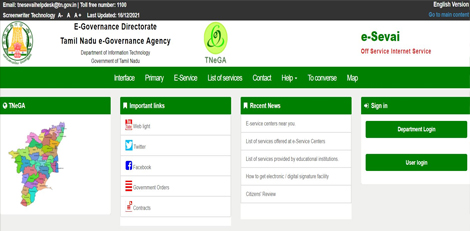
1. Visit the Portal: Go to https://tnedistrict.tn.gov.in and login as e-Sevai Operator
2. Navigate to Service: Services – Revenue Department – REV-404 Issuance of Public Building Licence
3. CAN Verification:
– If applicant already has CAN: Search by CAN number/name and proceed
– If not: Click “Register CAN”, complete OTP verification, and obtain CAN number
4. Fill Application Form:
– Applicant Details, Address, and Contact Info: Auto-filled (non-editable)
– Form Details: Choose Type of Application (New/Renewal) and Applicant Type
– Building Details: Enter all specifications – location, capacity, purpose, and extent
– Payment Details: Enter Bank Challan Number, Date, Bank, and Branch
5. Upload Documents: Attach all required documents in acceptable format and size
6. Make Payment: Confirm payment of applicable charges
7. Acknowledgement: Download and print receipt for reference
Alternative CSC Centre Method:
You can also apply through a Common Service Centre (CSC) where trained staff w will help with:
– CAN registration and verification
– Collecting and verifying required certificates (Fire NOC, Stability, etc.)
– Completing and uploading the application
– Making payment via Bank Challan
– Tracking application and downloading the approved licence
After Submission:
– Track Status: Check status using Application Number on the portal
– Saved Applications: Drafts appear under “Saved Application” section
– Verification: Application verified by Revenue officials
– Approval: Once approved, download the digitally signed Public Building Licence
– Licence Details: Includes licence number, validity, and approved building capacity
– Delivery: CSC operator prints and delivers the licence copy if applied via CSC
Important Notes:
– Required Documents vary depending on Applicant Type
– Fee Amount may differ for Government vs Private buildings
– Validity: Licence valid for 1 year from date of issue
– Photo Size: Max 50 KB | Documents: Max 200 KB
– Accepted Formats: PDF, JPEG, JPG, PNG
– Licence: Digitally signed, no physical signature required
– Mandatory Compliance: Fire NOC and Building Stability Certificate must be submitted
– Capacity Restriction: Licence mentions the maximum occupancy limit for safety compliance
Apply Online: https://tnedistrict.tn.gov.in
Assistance: Visit your nearest e-Sevai / CSC Centre for guidance
This guide is based on the Tamil Nadu e-District User Manual (REV-404). Government of Tamil Nadu, 2019.
by vellorecity | Oct 8, 2025 | How to apply, News
Service Code: REV-402 | Department: Revenue Department | Service Charge: ₹60
Purpose:
The Money Lender’s Licence authorizes individuals to legally operate a money lending business under the Tamil Nadu Money Lenders Rules, 1959. It is required for:
– Starting a new money lending business
– Renewing an existing licence
– Ensuring legal compliance for lending operations
– Fulfilling regulatory and verification requirements
– Conducting official banking or business transactions
Required Documents:
Mandatory:
– Passport-size Photograph (max 50 KB)
– Residence Proof of the applicant
– Solvency Certificate of the applicant
– Shop Address Proof
– Property Document Proof (Patta/Chitta)
– Bank Challan for fee payment
– Form A (as per the Rules)
– Lease Agreement (if applicable)
– Self-Declaration of Applicant (download from portal)
– Previous Licence (for Renewal applications only)
Special Requirements:
– Applicant must have a valid Citizen Access Number (CAN)
– Nationality: Applicant must be an Indian national
– Business Verification: Complete shop address details are mandatory
– Property Verification: Supporting ownership proof required
– Payment: Must be made via Bank Challan
– Multiple Locations: Must declare if more than one shop or business location exists
Step-by-Step Application Process:
1. Access Portal: Visit https://tnedistrict.tn.gov.in and login to the e-Sevai portal as Operator
2. Navigate to Service: Go to Services – Revenue Department -`REV-402 Money Lender’s Licence
3. CAN Verification:
– If applicant has CAN: Search by CAN number/name and proceed
– If no CAN: Click “Register CAN,” complete OTP verification, and obtain CAN number
4. Select Application Type: Choose ‘New’ or ‘Renewal’
5. Fill Application Form:
– Applicant Details: Pre-filled and non-editable (ensure Nationality is entered)
– Residential Address: Auto-filled, non-editable
– Shop Address: Enter full business address
– Contact Details: Auto-filled, non-editable
– Payment Details: Enter Bank Challan number, date, bank, and branch
– Property Details: Add complete property information
6. Upload Documents: Attach all required documents in correct size and format
7. Make Payment: Confirm ₹60 service charge online
8. Download Acknowledgement: Save or print receipt for future tracking
Alternative CSC Centre Method:
Applicants can also apply through a Common Service Centre (CSC) where staff will help with:
– CAN registration (if needed)
– Guidance on document collection
– Form filling and verification
– Document scanning and uploading
– Payment and submission assistance
After Application:
– Track your application using the Application Number via “Check Status”
– Incomplplete forms can be found under Saved Applications
– Verified by VAO / Revenue authorities before approval
– Once approved, download the digitally signed licence
– Licence includes number, validity, and business conditions
– CSC operator can print and deliver the licence copy
Important Notes:
– Carefully select ‘New’ or ‘Renewal’ when applying
– For renewals, previous licence number is required
– Ensure documents are valid and clear before uploading
– Photo size: Max 50 KB | Documents: Max 200 KB
– Accepted formats: PDF, JPEG, JPG, PNG
– Licence is digitally signed – no physical signature required
– Validity: Licence valid for the specific financial period mentioned
– Self-Declaration form must be downloaded and submitted
Apply Online: https://tnedistrict.tn.gov.in
Help: Visit nearest e-Sevai / CSC Centre for assistance
This guide is based on the Tamil Nadu e-District User Manual (REV-402). Government of Tamil Nadu, 2016.
by vellorecity | Oct 7, 2025 | How to apply, News
Service Code: REV-401 | Department: Revenue Department | Service Charge: ₹60
Purpose:
The Licence under Pawn Broker Act authorizes individuals to legally operate a pawnbroking business under the Tamil Nadu Pawn Brokers Act, 1943. It is required for:
– Starting a new pawnbroking business
– Renewing an existing licence
– Legal compliance for business operations
– Regulatory verification for banking and finance purposes
– Business verification for government authorities
Required Documents:
Mandatory:
– Passport-size Photograph (max 50 KB)
– Residence Proof of the applicant
– Solvency Certificate of applicant
– Shop Address Proof
– Property Document Proof (Patta/Chitta)
– Bank Challan for fee payment
– Form A (as per the Act)
– Nominee Character Certificate
– Nominee Residence Proof
– Nominee Solvency Proof
– Self-Declaration of Applicant (download from portal)
– Lease Agreement (if applicable)
– Previous Licence (for Renewal applications only)
Special Requirements:
– Applicant must have a valid Citizen Access Number (CAN)
– Nationality: Must be an Indian national
– Business Verification: Accurate shop address required
– Property Verification: Complete property proof required
– Nominee Details: Must provide character, residence, and solvency proofs
– Payment: Fee must be paid via Bank Challan
Application Process:
1. Get CAN: Visit https://tnedistrict.tn.gov.in and register using Aadhaar + OTP verification
2. Apply Online: Login – Services – Revenue Department – REV-401 Licence under Pawn Broker Act
3. CAN Verification:
– If CAN exists: Search by CAN number/name and proceed
– If no CAN: Register first and obtain CAN
4. Select Application Type: Choose ‘New’ or ‘Renewal’
5. Complete Application Form:
– Applicant Details: Pre-filled personal info
– Residential Address: Pre-filled and non-editable
– Shop Address: Enter full business address
– Contact Details: Pre-filled and non-editable
– Payment Details: Enter Bank Challan number, date, bank, and branch
– Property Details: Enter complete property records
6. Upload Documents: Attach all required documents in correct format/size
7. Make Payment: Confirm ₹60 service charge online
8. Download Acknowledgement: Save/print receipt for tracking
Alternative CSC Centre Method:
– Visit nearest e-Sevai / CSC Centre
– Staff assists with:
– CAN registration
– Document collection & verification
– Form filling and document upload
– Payment processing
– Application tracking
After Application:
– Track status using Application Number under Check Status
– Draft applications saved under Saved Application section
– Application verified by VAO / Revenue authorities – Once approved, download digitally signed licence
– Licence includes number, validity period, and business conditions
– CSC operators can print and hand over the licence
Important Notes:
– Carefully select ‘New’ or ‘Renewal’
– For renewals, previous licence number is required
– Ensure all documents are clear and accurate
– Photo: Max 50 KB | Documents: Max 200 KB
– Accepted formats: PDF, JPEG, JPG, PNG
– Licence is digitally signed; no physical signature needed
– Validity: Licence valid for specific financial period
Apply Online: https://tnedistrict.tn.gov.in
Assistance: Visit nearest e-Sevai / CSC Centre
This guide is based on the Tamil Nadu e-District User Manual (REV-401). Government of Tamil Nadu, 2016.

by vellorecity | Oct 6, 2025 | How to apply, News
Service Code: REV-120 | Department: Revenue Department | Service Charge: ₹60
Purpose:
The Unmarried Certificate officially confirms that an individual is not married as of a specific date. It is required for:
– Marriage registration and matrimonial purposes
– Visa and passport applications
– Government job applications and background verification
– Educational admissions and scholarship eligibility
– Legal or court proceedings
– Property inheritance and related transactions
Required Documents:
Mandatory:
– Passport-size Photograph (Max 50 KB)
– Ration Card or Address Proof
– Age Proof (Aadhaar, Birth Certificate, or School Record)
– Self-Declaration of Unmarried Status (download from portal)
Optional Supporting Documents:
– Any other supporting documents if required for verification
Special Requirements:
– Applicant must have a valid Citizen Access Number (CAN)
– Valid Age Proof is mandatory
– Residence Proof must match address in application
– Self-Declaration confirming unmarried status is compulsory
– Certificate validates unmarried status as of the application date
Application Process:
1. Get CAN (Citizen Access Number)
– Visit: https://tnedistrict.tn.gov.in
– Register using Aadhaar + OTP verification to obtain CAN
2. Apply for Unmarried Certificate
– Login to Tamil Nadu e-Sevai Portal
– Navigate to: Services → Revenue Department → REV-120 Unmarried Certificate
3. Fill Application Form
– Applicant Details: Auto-filled from CAN data
– Address & Contact Details: Pre-filled and non-editable
– Verify all information before proceeding
4. Upload Documents
– Attach all required files (photo, age e proof, address proof, self-declaration)
5. Make Payment
– Pay ₹60 through the portal’s payment gateway
6. Download Acknowledgement
– Save or print the receipt for future tracking
Alternative Method (CSC Centre):
– Visit any e-Sevai / Common Service Center (CSC)
– Trained staff will help with CAN registration, document upload & verification, payment processing, and certificate tracking & printing
After Application:
– Track your application under ‘Check Status’ using the Application Number
– Application is reviewed by VAO / Revenue officials for verification
– Once approved, download the digitally signed Unmarried Certificate
– CSC operators can also print and hand over the certificate
Important Notes:
– Ensure all documents are clear, valid, and consistent
– Self-Declaration Form is mandatory for processing
– Certificate validates status only as of issue date
– Applications can be saved as drafts and completed later
– Photo size: Max 50 KB | Documents: Max 200 KB
– Supported formats: PDF, JPEG, JPG, PNG
– Certificate is digitally signed (no physical signature needed)
– Address consistency is essential for smooth verification
Apply Online: https://tnedistrict.tn.gov.in
Helpdesk: Visit nearest eSevai / CSC Centre for assistance
This guide is based on the Tamil Nadu e-District User Manual (REV-120). Government of Tamil Nadu, 2016.
by vellorecity | Sep 30, 2025 | How to apply, News
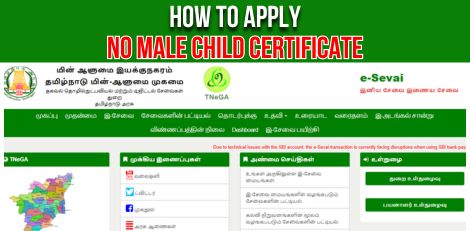
Service Code: REV-119 | Department Charges: ₹0 | Service Charge: ₹60
Purpose:
The No Male Child Certificate certifies that a family has no male children. It is required for:
– Availing government welfare schemes for families with only female children
– Educational benefits and scholarships for girl children
– Financial assistance programs for families with no male heirs
– Special government initiatives supporting girl child education
– Eligibility for gender-specific family welfare schemes
Required Documents:
– Combined Photo of Parents (Max 50 KB)
– Residence Proof
– Sterilization Certificate of Parents
– Birth Certificate of First Child
– Birth Certificate of Second Child
– Self-Declaration Form (download from portal)
– Other supporting documents if required
Special Requirements:
– Applicant must have a valid Citizen Access Number (CAN)
– Age of last child should not exceed 3 years
– Minimum 9 months birth gap between children (except twins)
– Sterilization Certificate Timing:
– If father sterilized – must be within 9 months before last child’s birth
– In other cases – sterilization must be after last child’s birth date
– Certificate validates family has no male children
Application Process:
1. Get CAN (Citizen Access Number)
– Visit: https://tnedistrict.tn.gov.in
– Register using Aadhaar & OTP to get permanent CAN
2. Apply for No Male Child Certificate
– Log in with your CAN
– Go to: Services → Revenue Department → REV-119 No Male Child Certificate
3. Fill Application Form
– Enter/Edit parent details
– Add child details (DOB, gender, etc.)
– Ensure last child’s age ≤ 3 years
– Verify birth date gaps (≥ 9 months) except twins
– Provide sterilization details with correct timing
4. Upload Documents
– Attach all required certificates clearly
5. Pay Online
– Pay the service charge of ₹60
6. Download Acknowledgement
– Save/print receipt for tracking
Alternative Method (CSC Centre – Recommended):
– Visit nearest eSevai / CSC Centre
– Operators assist with CAN registration, child details, scanning, and payment
– Pay the same ₹60 service charge
After Application:
– Track status using your Application Number under ‘Check Status’
– Application verified by VAO/Revenue authorities
– Once approved, download your digitally signed No Male Child Certificate
– CSC operator can also print and deliver certificate
Important Notes:
– Strict age and sterilization timiming requirements apply
– All birth/sterilization certificates must be valid and accurate
– Application undergoes family composition verification
– Drafts can be saved and resumed later
– File size: Photo max 50 KB, Docs max 200 KB
– Supported formats: PDF, JPEG, JPG
– Certificate is digitally signed (no manual signature needed)
Apply Online: https://tnedistrict.tn.gov.in
For Assistance: Visit nearest eSevai / CSC Centre
This guide is based on the Tamil Nadu e-District User Manual (REV-119). Government of Tamil Nadu, 2016.