by vellorecity | Oct 30, 2025 | How to apply, News
Service Code: REV-123 | Department: Revenue Department | Service Charge: ₹60
Purpose:
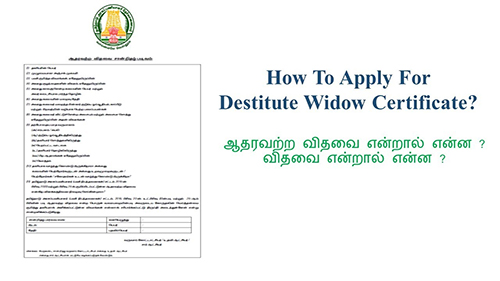
The Destitute Widow Certificate provides official recognition and enables access to social welfare schemes for widows without adequate means of subsistence. It is designed for:
– Widows whose total monthly income from all sources does not exceed ₹4,000
– Applicants who are domicile of Tamil Nadu
– Widows above 18 years of age
– Women without adequate means of livelihood after husband`s death
Required Documents:
Mandatory:
– Applicant Photo (recent passport-sized)
– Smart Card / Ration Card
– Death Certificate of Husband
– Legal Heir Certificate
– Aadhaar Card
– Income Certificate
– Self-Declaration of Applicant (downloadable from portal)
– Address Proof (Optional)
Special Requirements:
– Applicant must have a valid Citizen Access Number (CAN)
– Income Limit: Total monthly income must not exceed ₹4,000
– Domicile Status: Must be domicile of Tamil Nadu
– Age Requirement: Must be above 18 years of age
– Marital Status: Must be widow
– Death Proof: Death certificate of husband is mandatory
– Legal Heir Proof: Legal heir certificate required
Step-by-Step Application Process:
1. Visit the Portal: Login to e-Sevai Tamil Nadu https://tnedistrict.tn.gov.in portal as Operator
2. Navigate to Service: Services – Revenue Department – REV-123 Destitute Widow Certificate
3. CAN Verification:
– If applicant has CAN: Search by CAN number/name and proceed
– If not: Click “Register CAN”, complete OTP verification, obtain CAN number
4. Complete Application Form:
– Section 1: Applicant Details (auto-filled) including education qualification
– Section 2: Current Address (auto-filled)
– Section 3: Permanent Address (auto-filled)
– Section 4: Contact Details (auto-filled)
– Section 5: Present Annual Income – sources and amounts
– Section 6: Parent and Children Details – husband`s parents, applicant`s parents, children information
– Section 7: Late Husband Details – name, occupation, date of death, death certificate number
5. Upload Documents: Attach all required files in accepted format and size
6. Payment: Click Make Payment – confirm payment of ₹60
7. Acknowledgement: Download and print receipt for tracking
Alternative CSC Centre Method:
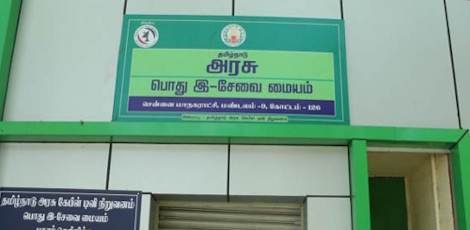
Applicants may also apply through any Common Service Centre (CSC) where trained operators assist with:
– CAN registration
– Form filling and document collection
– Document scanning and upload
– Payment processing
– Application submissioion and tracking
– Eligibility and documentation guidance
After Submission:
– Track Status: Use Application Number via portal
– Saved Applications: Drafts appear in “Saved Application” section
– Verification: VAO/Revenue authorities validate eligibility
– Approval: Download digitally signed certificate once approved
– Certificate Details: Includes widow status, income details, family information
– Delivery: CSC operator prints and hands over certificate to applicant
Important Notes:
– Income Limit: Maximum monthly income ₹4,000 including all sources
– Domicile Requirement: Must be domicile of Tamil Nadu
– Age Requirement: Must be above 18 years old
– Death Certificate: Husband`s death certificate is mandatory
– Legal Heir Certificate: Required to establish relationship
– Income Declaration: Provide accurate income details from all sources
– Family Details: Complete information about parents and children required
– Document Accuracy: Ensure all uploaded documents are valid and clear
– File Size Limits: Photos ≤ 50 KB, documents ≤ 200 KB
– Supported Formats: PDF, JPEG, JPG, PNG, GIF
– Digital Signature: Certificate is digitally signed – no physical signature required
– Late Husband Details: Complete information about deceased husband required
– Educational Qualification: Applicant`s education details must be provided
Apply Online: https://tnedistrict.tn.gov.in
Assistance: Visit your nearest e-Sevai / CSC Centre
This guide is based on the Tamil Nadu e-District User Manual (REV-123). Government of Tamil Nadu, 2019.
by vellorecity | Oct 29, 2025 | How to apply, News
Service Code: REV-206 | Department: Revenue Department | Service Charge: ₹10
Purpose:
The Differently Abled Pension Scheme (DAPS) provides financial assistance to persons with disabilities who are without adequate means of subsistence. It is designed for:
– Persons with disabilities meeting specified criteria
– Individuals with certified disability percentage
– Applicants without adequate means of livelihood
– Persons holding valid disability certification
Required Documents:
Mandatory:
– Applicant Photo (recent passport-sized)
– Aadhaar Card
– Aadhaar Consent Form (downloadable from portal)
– Smart Card / Ration Card / Any Address Proof
– National Disability ID Card
– Self-Declaration of Applicant (downloadable from portal)
– Bank Passbook
– Any Identity Proof (Voter ID, Passport, PAN, Driving License) – Optional
Special Requirements:
– Applicant must have a valid Citizen Access Number (CAN)
– Disability Certification: Must have National Disability ID Card
– Disability Percentage: Must meet specified disability percentage criteria
– Income Verification: Provide accurate annual income details
– Bank Account: Required for direct benefit transfer
– Aadhaar Mandatory: Both number and consent form compulsory
– Disability Type: Specific type of disability must be declared
Step-by-Step Application Process:
1. Visit the Portal: Login to e-Sevai Tamil Nadu https://tnedistrict.tn.gov.in portal as Operator
2. Navigate to Service: Services – Revenue Department – REV-206 Differently Abled Pension Scheme
3. CAN Verification:
– If applicant has CAN: Search by CAN number/name and proceed
– If not: Click “Register CAN”, complete OTP verification, obtain CAN number
4. Complete Application Form:
– Section 1: Applicant Details (auto-filled)
– Section 2: Current Address (auto-filled)
– Section 3: Permanent Address (auto-filled)
– Section 4: Contact Details (auto-filled)
– Section 5: Bank/Postal Details – account information for disbursement
– Section 6: Disability Details – type of disability, disability percentage, ID card number, income details
5. Upload Documents: Attach all required files in accepted format and size
6. Payment: Click Make Payment – confirm payment of ₹10
7. Acknowledgement: Download and print receipt for tracking
Alternative CSC Centre Method:
Applicants may also apply through any Common Service Centre (CSC) where trained operators assist with:
– CAN registration
– Form filling and document collection
– Document scanning and upload
– Payment processing
– Application submissioion and tracking
– Eligibility and documentation guidance
After Submission:
– Track Status: Use Application Number via portal
– Saved Applications: Drafts appear in “Saved Application” section
– Verification: VAO/Revenue authorities validate eligibility
– Approval: Download digitally signed pension approval certificate once approved
– Certificate Details: Includes pension approval, beneficiary info, and payment details
– Delivery: CSC operator prints and hands over certificate to applicant
Important Notes:
– Eligibility: Requires certified disability with valid ID card
– Disability ID: National Disability ID Card is mandatory
– Disability Percentage: Must meet specified minimum disability percentage
– Income Declaration: Provide accurate annual income details from all sources
– Aadhaar Requirement: Aadhaar number and consent form are mandatory
– Bank Account: Essential for pension disbursement
– Document Accuracy: Ensure all uploaded documents are valid and clear
– File Size Limits: Photos ≤ 50 KB, documents ≤ 200 KB
– Supported Formats: PDF, JPEG, JPG, PNG
– Digital Signature: Certificate is digitally signed – no physical signature required
– Disability Types: Various disability types accepted as per government norms
– ID Card Format: Disability ID must follow specified format (TN1234567890123456 or TNCHNMR12345)
Apply Online: [https://tnedistrict.tn.gov.in
Assistance: Visit your nearest e-Sevai / CSC Centre
This guide is based on the Tamil Nadu e-District User Manual (REV-206). Government of Tamil Nadu, 2019.

by vellorecity | Oct 28, 2025 | How to apply, News
Service Code: REV-205 | Department: Revenue Department | Service Charge: ₹10
Purpose:
The Chief Minister Uzhavar Pathukapu Thittam (CMUPT) provides financial assistance and support to eligible agricultural laborers and farmers. It is designed for:
– Agricultural laborers and farmers in need of support
– Individuals belonging to Below Poverty Line (BPL) families
– Landless agricultural laborers requiring financial assistance
– Applicants meeting specific agricultural occupation criteria
Required Documents:
Mandatory:
– Applicant Photo (recent passport-sized)
– Aadhaar Card
– Aadhaar Consent Form (downloadable from portal)
– Smart Card / Ration Card / Any Address Proof
– CMUPT Card (if already issued)
– Self-Declaration of Applicant (downloadable from portal)
– Bank Passbook
– Any Identity Proof (Voter ID, Passport, PAN, Driving License)
Special Requirements:
– Applicant must have a valid Citizen Access Number (CAN)
– Agricultural Status: Must be landless agricultural labourer
– BPL Status: Must belong to Below Poverty Line family
– CMUPT Card: Existing card details if applicable
– Bank Account: Required for direct benefit transfer
– Aadhaar Mandatory: Both number and consent form compulsory
– Income Verification: Provide accurate income details of all family members
– Property Declaration: Disclose all property details as required
Step-by-Step Application Process:
1. Visit the Portal: Login to e-Sevai Tamil Nadu https://tnedistrict.tn.gov.in portal as Operator
2. Navigate to Service: Services – Revenue Department – REV-205 Chief Minister Uzhavar Pathukapu Thittam
3. CAN Verification:
– If applicant has CAN: Search by CAN number/name and proceed
– If not: Click “Register CAN”, complete OTP verification, obtain CAN number
4. Complete Application Form:
– Section 1: Applicant Details (auto-filled)
– Section 2: Current Address (auto-filled)
– Section 3: Permanent Address (auto-filled)
– Section 4: Contact Details (auto-filled)
– Section 5: Bank/Postal Details – mode of disbursement information
– Section 6: Other Details – destitute status, own house, landless agricultural labourer status, CMUPT card availability
– Section 7: Income Details – income of all family members
– Section 8: Property Details – property details of all family members
5. Upload Documents: Attach all required files in accepted format and size
6. Payment: Click Make Payment -confirm payment of ₹10
7. Acknowledgement: Download and print receipt for tracking
Alternative CSC Centre Method:
Applicants may also apply through any Common Service Centre (CSC) where trained operators assist with:
– CAN registration
– Form filling and document collection
– Document scanning and upload
– Payment processing
– Applicatioion submission and tracking
– Eligibility and documentation guidance
After Submission:
– Track Status: Use Application Number via portal
– Saved Applications: Drafts appear in “Saved Application” section
– Verification: VAO/Revenue authorities validate eligibility
– Approval: Download digitally signed approval certificate once approved
– Certificate Details: Includes scheme approval, beneficiary info, and payment details
– Delivery: CSC operator prints and hands over certificate to applicant
Important Notes:
– Eligibility: Primarily for landless agricultural labourers
– BPL Requirement: Must belong to Below Poverty Line category
– CMUPT Card: Provide existing card number if available
– Aadhaar Requirement: Aadhaar number and consent form are mandatory
– Bank Account: Essential for benefit disbursement
– Document Accuracy: Ensure all uploaded documents are valid and clear
– File Size Limits: Photos ≤ 50 KB, documents ≤ 200 KB
– Supported Formats: PDF, JPEG, JPG, PNG
– Digital Signature: Certificate is digitally signed — no physical signature required
– Income Declaration: Provide accurate income details of all family members
– Property Declaration: Disclose all property details as required
– Agricultural Status: Must declare as landless agricultural labourer
Apply Online: https://tnedistrict.tn.gov.in
Assistance: Visit your nearest e-Sevai / CSC Centre
This guide is based on the Tamil Nadu e-District User Manual (REV-205). Government of Tamil Nadu, 2019.
by vellorecity | Oct 24, 2025 | How to apply, News
Service Code: REV-204 | Department: Revenue Department | Service Charge: ₹10
Purpose:
The Unmarried Women Pension Scheme (UWPS) provides financial assistance to unmarried women who are without adequate means of subsistence. It is designed for:
– Women who have never been married
– Destitute unmarried women without regular financial support
– Women belonging to Below Poverty Line (BPL) families
– Unmarried women without adequate means of livelihood
Required Documents:
Mandatory:
– Applicant Photo (recent passport-sized)
– Aadhaar Card
– Aadhaar Consent Form (downloadable from portal)
– Smart Card / Ration Card / Any Address Proof
– Self-Declaration of Applicant (downloadable from portal)
– Bank Passbook
– Any Identity Proof (Voter ID, Passport, PAN, Driving License)
Special Requirements:
– Applicant must have a valid Citizen Access Number (CAN)
– Marital Status: Must be legally unmarried
– Destitute Status: Must declare as destitute without adequate means
– BPL Status: Must belong to Below Poverty Line family
– Bank Account: Required for direct benefit transfer
– Aadhaar Mandatory: Both number and consent form compulsory
– Income Verification: Provide accurate income details of all family members
Step-by-Step Application Process:
1. Visit the Portal: Login to e-Sevai Tamil Nadu https://tnedistrict.tn.gov.in portal as Operator
2. Navigate to Service: Services – Revenue Department – REV-204 Unmarried Women Pension Scheme
3. CAN Verification:
– If applicant has CAN: Search by CAN number/name and proceed
– If not: Click “Register CAN”, complete OTP verification, obtain CAN number
4. Complete Application Form:
– Section 1: Applicant Details (auto-filled)
– Section 2: Current Address (auto-filled)
– Section 3: Permanent Address (auto-filled)
– Section 4: Contact Details (auto-filled)
– Section 5: Form Details – bank/post office info, BPL status, destitute status
– Section 6: Income Details – income of all family members
– Section 7: Property Details – property details of all family members
5. Upload Documents: Attach all required files in accepted format and size
6. Payment: Click Make Payment – confirm payment of ₹10
7. Acknowledgement: Download and print receipt for tracking
Alternative CSC Centre Method:
Applicants may also apply through any Common Service Centre (CSC) where trained operators assist with:
– CAN registration
– Form filling and document collection
– Document scanning and upload
– Payment processing
– Application submission and tracking
->- Eligibility and documentation guidance
After Submission:
– Track Status: Use Application Number via portal
– Saved Applications: Drafts appear in “Saved Application” section
– Verification: VAO/Revenue authorities validate eligibility
– Approval: Download digitally signed pension approval certificate once approved
– Certificate Details: Includes pension approval, beneficiary info, and payment details
– Delivery: CSC operator prints and hands over certificate to applicant
Important Notes:
– Eligibility: Strictly for women who have never been married
– Marital Status: Applicant must not be married
– BPL Requirement: Must belong to Below Poverty Line category
– Aadhaar Requirement: Aadhaar number and consent form are mandatory
– Bank Account: Essential for pension disbursement
– Document Accuracy: Ensure all uploaded documents are valid and clear
– File Size Limits: Photos ≤ 50 KB, documents ≤ 200 KB
– Supported Formats: PDF, JPEG, JPG, PNG
– Digital Signature: Certificate is digitally signed — no physical signature required
– Income Declaration: Provide accurate income details of all family members
– Property Declaration: Disclose all property details as required
Apply Online: https://tnedistrict.tn.gov.in
Assistance: Visit your nearest e-Sevai / CSC Centre
This guide is based on the Tamil Nadu e-District User Manual (REV-204). Government of Tamil Nadu, 2019.
by vellorecity | Oct 17, 2025 | How to apply, News
Service Code: REV-203 | Department: Revenue Department | Service Charge: ₹10
Purpose:
The Deserted Destitute Wives Pension Scheme (DDWPS) provides financial assistance to women who have been deserted by their husbands and are without adequate means of subsistence. It is designed for:
– Women legally deserted by their husbands
– Destitute wives without regular financial support
– Women belonging to Below Poverty Line (BPL) families
– Deserted wives without adequate means of livelihood
Required Documents:
Mandatory:
– Applicant Photo (recent passport-sized)
– Aadhaar Card
– Aadhaar Consent Form (downloadable from portal)
– Smart Card / Ration Card / Any Address Proof
– Court Order Copy (legal separation proof)
– Self-Declaration of Applicant (downloadable from portal)
– Any Identity Proof (Voter ID, Passport, PAN, Driving License)
– Bank Passbook
Special Requirements:
– Applicant must have a valid Citizen Access Number (CAN)
– Desertion Status: Must be legally deserted with court order proof
– Separation Duration: Must be deserted for more than 5 years
– Destitute Status: Must declare as destitute without adequate means
– Legal Separation: Court order from competent court mandatory
– BPL Status: Must belong to Below Poverty Line family
– Bank Account: Required for direct benefit transfer
– Aadhaar Mandatory: Both number and consent form compulsory
Step-by-Step Application Process:
1. Visit the Portal: Login to e-Sevai Tamil Nadu https://tnedistrict.tn.gov.in portal as Operator
2. Navigate to Service: Services – Revenue Department – REV-203 Deserted Destitute Wives Pension Scheme
3. CAN Verification:
– If applicant has CAN: Search by CAN number/name and proceed
– If not: Click “Register CAN”, complete OTP verification, obtain CAN number
4. Complete Application Form:
– Section 1: Applicant Details (auto-filled)
– Section 2: Current Address (auto-filled)
– Section 3: Permanent Address (auto-filled)
– Section 4: Contact Details (auto-filled)
– Section 5: Form Details – bank/post office info, marriage date, deserted date, and separation duration
– Section 6: Other Details – destitute status, BPL status, legal separation, remarriage status
– Section 7: Family Income Details – income of all family members
– Section 8: Property Details – property details of all family members
5. Upload Documents: Attach all required files in accepted format and size
6. Payment: Click Make Payment → confirm payment of ₹10
7. Acknowledgement: Download and print receipt for tracking
Alternative CSC Centre Method:
Applicants may also apply through any Common Service Centntre (CSC) where trained operators assist with:
– CAN registration
– Form filling and document collection
– Document scanning and upload
– Payment processing
– Application submission and tracking
– Eligibility and documentation guidance
After Submission:
– Track Status: Use Application Number via portal
– Saved Applications: Drafts appear in “Saved Application” section
– Verification: VAO/Revenue authorities validate eligibility
– Approval: Download digitally signed pension approval certificate once approved
– Certificate Details: Includes pension approval, beneficiary info, and payment details
– Delivery: CSC operator prints and hands over certificate to applicant
Important Notes:
– Eligibility: Strictly for women deserted by husbands for more than 5 years
– Court Order: Legal separation court order copy is mandatory
– Remarriage Status: Applicant must not be remarried
– Aadhaar Requirement: Aadhaar number and consent form are mandatory
– Bank Account: Essential for pension disbursement
– Document Accuracy: Ensure all uploaded documents are valid and clear
– File Size Limits: Photos ≤ 50 KB, documents ≤ 200 KB
– Supported Formats: PDF, JPEG, JPG, PNG
– Digital Signature: Certificate is digitally signed no physical signature required
– Income Verification: Provide accurate income details of all family members
Apply Online: https://tnedistrict.tn.gov.in
Assistance: Visit your nearest e-Sevai / CSC Centre
This guide is based on the Tamil Nadu e-District User Manual (REV-203). Government of Tamil Nadu, 2019.

by vellorecity | Oct 15, 2025 | How to apply, News
Service Code: REV-202 | Department: Revenue Department | Service Charge: ₹10
Purpose:
The Destitute Widow Pension Scheme (DWPS) provides financial assistance to widows who are destitute and without adequate means of subsistence. It is designed for:
– Widows without regular financial support
– Destitute women who have lost their husbands
– Women belonging to Below Poverty Line (BPL) families
– Widows without support from major sons or grandsons
Required Documents:
Mandatory:
– Applicant Photo (recent passport-sized)
– Aadhaar Card
– Aadhaar Consent Form (downloadable from portal)
– Smart Card / Ration Card / Any Address Proof
– Husband Death Certificate (with registration number and date)
– Self-Declaration of Applicant (downloadable from portal)
– Widow Certificate
– Any Identity Proof (Voter ID, Passport, PAN, Driving License)
– Bank Passbook
Special Requirements:
– Applicant must have a valid Citizen Access Number (CAN)
– Widow Status: Must be legally widowed with proof of husband’s death
– Destitute Status: Must declare as destitute without adequate means
– Remarriage Status: Must not be remarried
– Family Support: Must declare support from major son/grandson above 20 years, if any
– BPL Status: Must belong to Below Poverty Line family
– Bank Account: Required for direct benefit transfer
– Aadhaar Mandatory: Both number and consent form compulsory
Step-by-Step Application Process:
1. Visit the Portal: Login to e-Sevai Tamil Nadu (https://tnedistrict.tn.gov.in) portal as Operator
2. Navigate to Service: Services – Revenue Department – REV-202 Destitute Widow Pension Scheme
3. CAN Verification:
– If applicant has CAN: Search by CAN number/name and proceed
– If not: Click “Register CAN”, complete OTP verification, obtain CAN number
4. Complete Application Form:
– Section 1: Applicant Details (auto-filled)
– Section 2: Current Address (auto-filled)
– Section 3: Permanent Address (auto-filled)
– Section 4: Contact Details (auto-filled)
– Section 5: Bank/Post Office Details – account number, IFSC
– Section 6: Other Details – destitute status, BPL status, house ownership, remarriage status, husband’s death details
– Section 7: Family Income Details – enter income for all family members
– Section 8: Property Details – enter property details for all family members
5. Upload Documents: Attach all required documents in specified formats
6. Payment: Click Make Payment > Confirm payment of ₹10
7. Acknowledgement: Download and print receipt for tracking
Alternative CSC Centre Method:
Applicants may applyly through Common Service Centres (CSC) where operators assist with:
– CAN registration
– Form filling and document collection
– Document scanning and upload
– Payment processing
– Application submission and tracking
– Eligibility guidance
After Submission:
– Track Status: Use Application Number via portal
– Saved Applications: Drafts available in “Saved Application” section
– Verification: Reviewed by VAO/Revenue authorities for eligibility
– Approval: Download digitally signed pension approval certificate once approved
– Certificate Details: Includes pension approval, beneficiary information, and payment details
– Delivery: CSC operator prints and hands over certificate if applied via CSC
Important Notes:
– Eligibility: Strictly for destitute widows without adequate means of subsistence
– Death Certificate: Husband’s death certificate with registration details mandatory
– Remarriage Status: Applicant must not be remarried
– Aadhaar Requirement: Mandatory number and consent form
– Bank Account: Essential for pension disbursement
– Document Accuracy: Ensure all uploaded documents are valid and clear
– File Size Limits: Photos max 50 KB, documents max 200 KB
– Supported Formats: PDF, JPEG, JPG, PNG
– Digital Signature: Certificate is digitally signed; no physical signature required
– Income Verification: Accurate income details of all family members must be provided
Apply Online: https://tnedistrict.tn.gov.in
Assistance: Visit nearest e-Sevai / CSC Centre
This guide is based on the Tamil Nadu e-District User Manual (REV-202). Government of Tamil Nadu, 2019.