by vellorecity | Feb 2, 2026 | How to apply, News
Service Code: DCA-404 | Department: Drugs Department
Purpose
The Licence to Grant or Renewal Specified in Schedule X Drugs (DCA-404) service enables eligible applicants to apply for a new licence or renewal to deal in Schedule X drugs through the Tamil Nadu e-District (e-Sevai) portal.
Schedule X drugs are subject to strict regulatory control under the Drugs and Cosmetics Act. This online service ensures regulated handling, proper documentation, and transparent approval through the Drugs Control Department.
This service is intended for:
– Applicants seeking a fresh licence to deal in Schedule X drugs
– Existing licence holders applying for renewal
– Businesses requesting Change of Premises
– Businesses requesting Change in Constitution
– Retailers or wholesalers authorized to handle Schedule X category drugs
Required Information
Mandatory for Renewal:
– Existing Schedule X Licence Number
Special Requirements
For Renewal Applications:
Upon entering the licence number, existing details are auto-populated in the application form.
For Change Requests:
In cases of Change of Premises or Change in Constitution, relevant sections become partially editable.
Competent Person Requirement:
Details of an approved Competent Person must be provided as per Schedule X norms.
Secure Storage:
Applicants must declare appropriate storage accommodation as required for Schedule X drugs.
Step-by-Step Application / Renewal Process
1. Visit the Portal
Login to the Tamil Nadu e-Sevai / e-District portal using valid operator credentials.
2. Navigate to the Service
Click Services → Drugs Department → DCA-404 Licence to Grant or Renewal Specified in Schedule X Drugs.
3. Select Application Type
– Licence Type: Grant or Renewal
– For Renewal: Enter the existing Licence Number
– Apply for: Fresh Licence / Change of Premises / Change in Constitution
4. Enter Applicant Details
– Enter applicant information using the available fields
– Multiple applicants can be added using Add Applicant
– Complete bio-data can be added using Add Bio Data
5. Enter Firm and Address Details
– Name of the firm
– Complete address details
– Ownership type (Owned / Rented)
6. Provide Competent Person Details
– Enter required qualification and approval details
– Add multiple competent persons if applicable
7. Enter Storage Accommodation Details
Specify storage facilities available for Schedule X drugs.
8. Enter Contact Details
– Phone number
– Mobile numbers
– Email ID
9. Submit Application
Click Submit to generate the application number.
Upload Required Documents
Applicants must upload the prescribed documents, including:
– Declaration Form
– Form 19C (where applicable)
– Proof of premises ownership or rental
– Authorization or constitution-related documents
– Competent Person qualification and approval documents
– Blueprint / layout of premises as required
Uploaded documents must follow the formats prescribed on the portal.
Payment Process
After document upload:
– Proceed to Make Payment
– Pay the applicable government fee and service charge as displayed on the portal
– Confirm payment to complete submission
Acknowledgement and Tracking
– Download and print the Acknowledgement Receipt
– Applications can be tracked under Submitted Applications
– Draft applications remain available under Saved Applications
Physical Submission of Documents
After online submission, applicants are required to submit physical copies of all mandatory documents to the concerned office of the Drugs Control Department.
Applicants must clearly mention the Acknowledgement Number on the document cover.
Downloading Licence Certificate
Once the application is approved and digitally signed:
– Go to Check Status
– Enter the Application Number
– Click Search
– Click Download Certificate when approval status is shown
The licence certificate can be downloaded and issued to the applicant.
Important Notes
– Schedule X drugs are governed by strict statutory controls
– Licence validity is subject to rules prescribed under the Drugs and Cosmetics Act
– Any change in competent person must be reported promptly
– Drugs must be purchased only from licensed manufacturers or dealers
– Certificates issued can be verified online through official verification mechanisms
Apply Online
https://tnedistrict.tn.gov.in
Assistance
Applicants may approach the nearest e-Sevai / CSC centre for guidance and s support.
This guide is based on the Tamil Nadu e-District User Manual (DCA-404). Government of Tamil Nadu, 2017.
by vellorecity | Feb 2, 2026 | How to apply, News
Service Code: DCA-405 | Department: Drugs Department
Purpose
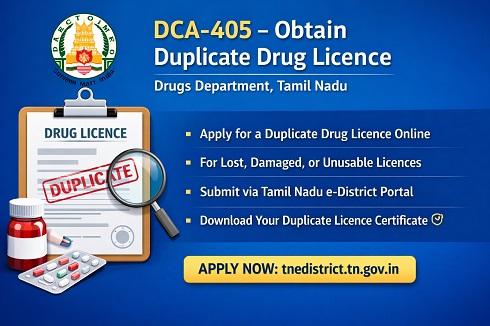
The Obtain Duplicate Licence (DCA-405) service enables existing drug licence holders in Tamil Nadu to apply for a duplicate copy of their licence through the Tamil Nadu e-District (e-Sevai) portal.
This service is applicable when the original licence is lost, damaged, destroyed, or rendered unusable. The online process ensures transparency, proper verification, and timely issuance of the duplicate licence by the Drugs Control Department.
This Service Is Intended For
– Licence holders who have lost the original drug licence
– Licence holders whose licence is damaged or illegible
– Retailers, wholesalers, or other licensed entities holding a valid drug licence issued in Tamil Nadu
Required Information
Mandatory Details:
– Existing Drug Licence Number
– Name of the firm / licence holder
– Reason for applying for duplicate licence
– Applicant and contact details
Special Requirements
Auto-Population of Details:
Upon entering the existing licence number, available licence details are automatically fetched in the application form.
Reason Declaration:
Applicants must clearly specify the reason for requesting a duplicate licence (loss, damage, etc.).
Validity Check:
Duplicate licence is issued only for a valid and existing licence.
Step-by-Step Application Process
1. Visit the Portal
Login to the Tamil Nadu e-Sevai / e-District portal using valid operator credentials.
2. Navigate to the Service
Click Services → Drugs Department → DCA-405 Obtain Duplicate Licence.
3. Enter Licence Details
– Enter the existing Licence Number
– Verify auto-populated licence details
4. Enter Applicant Details
– Confirm applicant name and firm details
– Update contact information if required
5. Provide Reason for Duplicate Licence
Select or enter the reason for requesting a duplicate copy.
6. Submit Application
Click Submit to generate the Application Number.
Upload Required Documents
Applicants must upload the required supporting documents, which may include:
– Declaration regarding loss or damage of licence
– Copy of FIR (if applicable)
– Proof of identity of licence holder
– Any additional documents as prescribed by the portal
All documents must be uploaded in the prescribed format and size.
Payment Process
After document upload:
– Click Make Payment
– Pay the applicable government fee and service charges
– Confirm payment to complete application submission
Acknowledgement and Tracking
– Download and print the Acknowledgement Receipt
– Track application status under Submitted Applications
– Incomplete applications remain under Saved Applications
Physical Submission of Documents
Applicants must submit physical copies of mandatory documents to the concerned Drugs Control Department office.
The Acknowledgement Number must be clearly mentioned on the document cover.
Downloading Duplicate Licence Certificate
Once the application is approved and digitally signed:
– Go to Check Status
– Enter the Application Number
– Click Search
– Click Download Certificate once approved
The duplicate licence can then be issued to the applicant.
Important Notes
– Duplicate licences are issued only for valid licences
– Providing false information may result in rejection
– Licence holders must preserve the duplicate licence carefully
– Issued certificates can be verified online through official verification systems
Apply Online
https://tnedistrict.tn.gov.in
Assistance
Applicants may approach the nearest e-Sevai / CSC centre for guidance and support.

by vellorecity | Feb 2, 2026 | How to apply, News
Service Code: EMP-504 | Department Charges: ₹0 | Service Charge: ₹15
Purpose:
This service allows individuals already registered with the Tamil Nadu Employment and Training Department to renew their registration, ensuring continued eligibility for employment exchange services and benefits.
Required Documents:
– Registration Number (issued by Employment Office)
– Valid CAN (Citizen Access Number) for the applicant
Special Requirement:
– Applicant must have an existing registration with the Employment and Training Department that is due for renewal.
Application Process:
1. Login to E-District Portal
– Visit: https://tnedistrict.tn.gov.in
– Click on Operator Login
– Enter Username, Password, and Captcha
– Select Service Operator Type → Click Login
2. Navigate to Employment & Training Department
– After login, click on Services
– Select Department Wise → Employment and Training
3. Select Application for Renewal Service
– Click on EMP-504 Application for Renewal
4. Enter Registration Details
– Enter your Registration Number
– Verify User Charge: ₹15
– Click Submit
5. Confirm and Complete Renewal
– A confirmation pop-up will appear → Click OK
– System processes the renewal and generates a Payment Receipt
6. Download Receipt
– Download the Receipt PDF
– Keep a printout for your records
Alternative Method – Recommended:
Visit nearest eSevai / CSC Centre
– Operator will assist with the renewal process
– Same ₹15 service charge applies
– Immediate receipt provided
After Renewal:
– Registration remains active for the renewed period
– Keep the renewal receipt as proof of payment
– Registration ID can be printed separately using EMP-502 service if needed
Important Notes:
– Renewal must be completed before registration expires
– ₹15 service charge is mandatory
– Registration Number must be correct for successful renewal
– For issues, contact:
– Help Desk: eseva_helpdesk@tn.gov.in
– Toll-Free: 181800-425-3333
– Service available only for existing registered candidates
Apply Online: https://tnedistrict.tn.gov.in
For assistance: Visit nearest eSevai / CSC Centre
*This guide is based on the Tamil Nadu e-District Application Training Manual (504-Application for Renewal). Government of Tamil Nadu, 2016.*
by vellorecity | Feb 2, 2026 | How to apply, News
Service Code: EMP-502 | Department Charges: ₹0 | Service Charge: ₹10
Purpose:
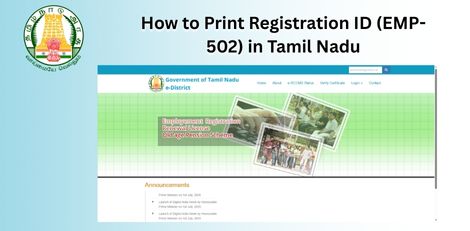
This service allows registered users of the Tamil Nadu Employment and Training Department to print their Registration ID card, which is used for employment-related services and renewals.
Required Documents:
– Registration Number (issued by Employment Office) – Valid CAN (Citizen Access Number) for the applicant
Special Requirement:
– Applicant must already be registered with the Employment and Training Department
Application Process:
1. Login to E-District Portal
– Visit: https://tnedistrict.tn.gov.in – Click on Operator Login – Enter Username, Password, and Captcha – Select Service Operator Type → Click Login
2. Navigate to Employment and Training Department
– After login, click on Services – Select Department Wise → Employment and Training
3. Select Printing of Registration ID Service
– Click on EMP-502 Printing of Registration Id
4. Enter Registration Details
– Enter the Registration Number (e.g., AR02041M00106554) – System auto-fills user details – Verify User Charge: ₹10 – Click Submit
5. Confirm and Generate
– A confirmation pop-up will appear → Click OK – System generates Registration ID Card (PDF) and Receipt
6. Download and Print
– Download the ID Card PDF – Download the Payment Receipt PDF – Take printouts of both for official use
Alternative Method – Recommended:
Visit nearest eSevai / CSC Centre
– Operator will assist with login and printing
– Same ₹10 service charge applies – Immediate printout provided
After Printing:
– ID Card includes:
– Registration Number
– Personal Details
– Qualification Details – Renewal Date – Receipt confirms payment of ₹10
– Keep both documents safe for future employment service requests
Important Notes:
– Ensure Registration Number is correct before submitting
– ₹10 service charge is mandatory – ID Card must be renewed before expiry
– For issues, contact: – Help Desk: eseva_helpdesk@tn.gov.in
– Toll-Free: 1800-425-3333 – Service available only for pre-registered candidates
Apply Online: https://tnedistrict.tn.gov.in
For assistance: Visit nearest eSevai / CSC Centre
This guide is based on the Tamil Nadu e-District Application Training Manual (502-Printing of Registration Id). Government of Tamil Nadu, 2016.
by vellorecity | Jan 8, 2026 | How to apply, News
Service Code: DCA-402 | Government Fees: ₹250 | Service Charge: ₹2
Purpose:
This service allows applicants to apply for a new grant or renewal of a Homeopathic Medicines Licence for retail, wholesale, or both, for selling, stocking, or distributing Homeopathic medicines as per the Drugs and Cosmetics Rules.
Key Application Types:
– Fresh Licence: For new applicants
– Renewal: For existing licence holders
– Change of Premises: For change in business address
– Change in Constitution: For changes in ownership or firm structure
Business Licence Types:
– Retail Licence (Form 19B)
– Wholesale Licence (Form 19B)
– Both Retail and Wholesale Licence (Form 19B)
Prerequisites:
– Valid Aadhaar or ID proof for all applicants and competent persons
– Property documents (EC, Property Tax Receipt, Sale Deed, or equivalent)
– Legal Tenancy Affidavit attested by Notary Public (if rented)
– Pharmacy Council Registration Certificate or Education Qualification Certificate of Pharmacist or Competent Person
– Memorandum of Association, Partnership Deed, or relevant firm constitution documents
– Blue Print of Premises Plan signed by Licensed Surveyor and Applicant
– Photo of applicant (max 50 KB)
– Residence Proof
– Purchase bills for Refrigerator, Air Conditioner, Generator (if applicable)
– NOC from other owners of premises (if applicable)
Application Process:
1. Login to E-District Portal as Operator
– Visit: https://tnedistrict.tn.gov.in
– Select Operator Login
– Enter Username, Password, and Captcha
– Click Login
2. Navigate to Drugs Department
– Click on Services
– Select Department Wise – Drugs Department
3. Select the Licence Service
– Click on DCA-402 Licence to Grant or Renewal Homeopathic Medicines
4. Select Licence Type
– Choose Grant (for new) or Renewal (for existing)
– If Renewal: Enter Licence Number to auto-fill details
5. Select Application Type
– Choose Fresh Licence, Change of Premises, or Change in Constitution
6. Select Business Licence Type
– Choose Retail, Wholesale, or Both
7. EnEnter Constitution or Ownership Details
– Select Proprietorship, Partnership, Pvt. Ltd., Public Ltd., LLP, Trust, HUF, or Others
– Specify if you are an authorized person
8. Add Applicant Details
– Enter Appellation, Name, Designation, Aadhaar or ID Proof
– Click Add Applicant
– Click Add Bio Data to fill detailed personal, educational, and address history
9. Enter Firm and Address Details
– Provide Firm Name, Type, State, District, Taluk, Zone, Street, Door No., Pin Code
10. Add Competent Person Details
– Enter Name, Qualification, Registration Number, Aadhaar or ID Proof of Pharmacist or Competent Person
– Click Add
– Can add multiple competent persons
11. Enter Storage Accommodation Details
– Specify if special storage accommodation exists
– Provide particulars
12. Enter Contact Details
– Provide Primary Mobile Number, Secondary Mobile, Email, Phone or Landline
13. Submit Application
– Click Submit
– Application saves as draft in Saved Applications
14. Upload Mandatory Documents
– System shows list of required documents
– Download Declaration Form and Form 19-B from portal links
– Upload each document in PDF, JPEG, JPG, PNG format (max 200 KB for documents, 50 KB for photo)
– Ensure all 13+ documents are uploaded correctly
15. Make Payment
– Click Make Payment
– Verify Government Fees: ₹250 + Service Charge: ₹2 = Total: ₹252
– Click Confirm Payment
16. Download Acknowledgement Receipt
– Click Print Receipt to download
– Save receipt with Application Number
After Submission:
– Application moves to Submitted Applications
– Status can be checked under Check Status
– Physical copies of documents must be sent to Office of the Assistant Director of Drugs Control, Trichy Zone
– Application is reviewed by Assistant Director
– Once approved, digitally signed licence certificate (Form 20-C) is generated
Downloading Licence Certificate:
1. Go to Check Status
2. Enter Application Number
3. Click Search
4. Once status shows Application Approved
5. Click Download certificate
6. Certificate includes Form 20-C with QR code for verification
Important Notes:
– Licence is valid for 5 years (e.g., 06/10/2017 to 05/10/2022)
– Display licence prominently at business premises
– Report any change in competent staff to Licensing Authority within 1 month
– Inform Licensing Authority within 3 months of any firm constitution change
– Sale limited to Homoeopathic medicines from one earlier potency up to 30 ml at a time (for retail)
– Certificate can be verified online via QR code or unique certificate number
– For issues, contact:
– Help Desk: eseva_helpdesk@tn.gov.in
– Toll-Free: 1800-425-3333
Apply Online: https://tnedistrict.tn.gov.in
For assistance: Visit nearest eSevai or CSC Centre
This guide is based on the Tamil Nadu e-District Application Training Manual (DCA-402 Licence to Grant or Renewal Homeopathic Medicines). Government of Tamil Nadu, 2017.
by vellorecity | Dec 9, 2025 | How to apply, News
Service Code: DBL-403 | Department: Directorate of Boilers
Purpose:
The Application for Approval of Manufacturer/Exector of Boilers service enables companies to obtain official approval for manufacturing or erecting boilers through the e-District portal. This service is designed for:
– Boiler manufacturing companies seeking regulatory approval – Boiler erection firms requiring official certification – Industrial equipment manufacturers under boiler regulations – Authorized representatives handling industrial licensing
Required Information:
Mandatory Application Details:
Company Type Selection:
– Manufacturer or Exector (choose one)
Manufacturer/Exector Company Details:
– Name Of the Company – Status of Ownership (Partnership, Private Limited, etc.) – Owner`s Name(s) – can add multiple owners
Company Address:
– State, District, Taluk, Revenue Village – Street details, Block No./Name, Door No., PIN Code
Boiler Details:
– Type of Boiler (Shell Type Boilers, Water Tube Boilers) – Capacity specifications (TPH – Tons Per Hour)
Company Registration Details:
– Registration Number – Lease details (if applicable)
Manpower and Equipment Details:
– Tools and Plants Required for Manufacturing
Contact Details:
– Phone/Landline No. with STD Code – Email Id (Mandatory) – Mobile Number
Special Requirements:
– Comprehensive Application: Detailed company and technical information required – Document Submission: Multiple supporting documents needed – Payment: Service charge applicable – Operator Assistance: Requires operator login for application
Step-by-Step Application Process:
1. Visit the Portal: Login to e-Sevai Tamil Nadu portal as Operator
2. Navigate to Service: Click on Services → Directorate of Boilers → DBL-403 Application for Approval of Manufacturer/Exector of Boilers
3. Fill Application Form: Complete all mandatory fields (*):
– Select Manufacturer or Exector type – Company Details (name, ownership, owners) – Company Address (complete d details) – Boiler Details (type and capacity) – Company Registration Details – Manpower and Equipment Details – Contact Details (email mandatory)
4. Submit Application: Click Submit to generate application number
5. Upload Required Documents:
– Supporting documents as required – Formats: PDF, JPEG, JPG, PNG – File size limits: As prescribed
6. Make Payment:
– Payment Mode: CASH – Service Charge: ₹120 – Click Confirm Payment
7. Download Acknowledgement: Click Print Receipt
After Submission:
– Application Tracking: View under Submitted Applications – Approval Process: Reviewed by director – Certificate Generation: Issued upon approval – Digital Certificate: Downloadable – Email Notification: Sent to applicant
Downloading Approval Certificate:
1. Go to Check Status section
2. Enter Application Number: TN-XXXXXXXXXXXX
3. Click Search
4. Click Download certificate once status is “Application Approved”
Important Notes:
– Company Type: Must specify Manufacturer or Exector – Technical Capacity: Must specify boiler type and capacity – Ownership Details: Multiple owners allowed – Documentation: All required documents mandatory – Payment: ₹120 service charge – Validity Period: 1 year – Regulatory Compliance: Follow Indian Boiler Regulations, 1950 – Welder Qualifications: Must meet IBR standards – Design Approval: Required from inspecting authority – Annual Renewal: Must renew before expiry – Renewal Fee: ₹6000
Apply Online: https://tnedistrict.tn.gov.in
Assistance: Visit your nearest e-Sevai / CSC Centre
This guide is based on the Tamil Nadu e-District User Manual (DBL-403). Government of Tamil Nadu, 2018.