

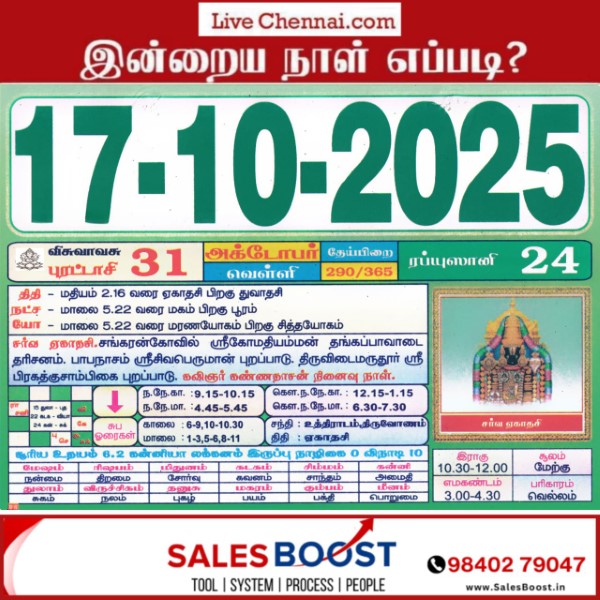

ஐப்பசி மாத பூஜைக்காக சபரிமலை நடை நாளை (17ம் தேதி) திறக்கப்படுகிறது. மறுநாள் (18ம் தேதி) புதிய மேல் சாந்திகள் தேர்வு நடைபெறும். ஜனாதிபதி வருகையையொட்டி 22ம் தேதி பக்தர்களுக்கு தரிசனக் கட்டுப்பாடு விதிக்கப்பட்டுள்ளது. அன்று இரவு 10 மணிக்கு நடை சாத்தப்படும்.
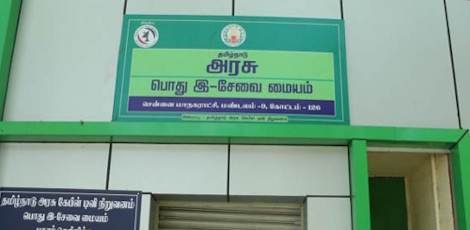
How to Apply for Deserted Destitute Wives Pension Scheme Online Easily!!
Service Code: REV-203 | Department: Revenue Department | Service Charge: ₹10
Purpose:
The Deserted Destitute Wives Pension Scheme (DDWPS) provides financial assistance to women who have been deserted by their husbands and are without adequate means of subsistence. It is designed for:
– Women legally deserted by their husbands
– Destitute wives without regular financial support
– Women belonging to Below Poverty Line (BPL) families
– Deserted wives without adequate means of livelihood
Required Documents:
Mandatory:
– Applicant Photo (recent passport-sized)
– Aadhaar Card
– Aadhaar Consent Form (downloadable from portal)
– Smart Card / Ration Card / Any Address Proof
– Court Order Copy (legal separation proof)
– Self-Declaration of Applicant (downloadable from portal)
– Any Identity Proof (Voter ID, Passport, PAN, Driving License)
– Bank Passbook
Special Requirements:
– Applicant must have a valid Citizen Access Number (CAN)
– Desertion Status: Must be legally deserted with court order proof
– Separation Duration: Must be deserted for more than 5 years
– Destitute Status: Must declare as destitute without adequate means
– Legal Separation: Court order from competent court mandatory
– BPL Status: Must belong to Below Poverty Line family
– Bank Account: Required for direct benefit transfer
– Aadhaar Mandatory: Both number and consent form compulsory
Step-by-Step Application Process:
1. Visit the Portal: Login to e-Sevai Tamil Nadu https://tnedistrict.tn.gov.in portal as Operator
2. Navigate to Service: Services – Revenue Department – REV-203 Deserted Destitute Wives Pension Scheme
3. CAN Verification:
– If applicant has CAN: Search by CAN number/name and proceed
– If not: Click “Register CAN”, complete OTP verification, obtain CAN number
4. Complete Application Form:
– Section 1: Applicant Details (auto-filled)
– Section 2: Current Address (auto-filled)
– Section 3: Permanent Address (auto-filled)
– Section 4: Contact Details (auto-filled)
– Section 5: Form Details – bank/post office info, marriage date, deserted date, and separation duration
– Section 6: Other Details – destitute status, BPL status, legal separation, remarriage status
– Section 7: Family Income Details – income of all family members
– Section 8: Property Details – property details of all family members
5. Upload Documents: Attach all required files in accepted format and size
6. Payment: Click Make Payment → confirm payment of ₹10
7. Acknowledgement: Download and print receipt for tracking
Alternative CSC Centre Method:
Applicants may also apply through any Common Service Centntre (CSC) where trained operators assist with:
– CAN registration
– Form filling and document collection
– Document scanning and upload
– Payment processing
– Application submission and tracking
– Eligibility and documentation guidance
After Submission:
– Track Status: Use Application Number via portal
– Saved Applications: Drafts appear in “Saved Application” section
– Verification: VAO/Revenue authorities validate eligibility
– Approval: Download digitally signed pension approval certificate once approved
– Certificate Details: Includes pension approval, beneficiary info, and payment details
– Delivery: CSC operator prints and hands over certificate to applicant
Important Notes:
– Eligibility: Strictly for women deserted by husbands for more than 5 years
– Court Order: Legal separation court order copy is mandatory
– Remarriage Status: Applicant must not be remarried
– Aadhaar Requirement: Aadhaar number and consent form are mandatory
– Bank Account: Essential for pension disbursement
– Document Accuracy: Ensure all uploaded documents are valid and clear
– File Size Limits: Photos ≤ 50 KB, documents ≤ 200 KB
– Supported Formats: PDF, JPEG, JPG, PNG
– Digital Signature: Certificate is digitally signed no physical signature required
– Income Verification: Provide accurate income details of all family members
Apply Online: https://tnedistrict.tn.gov.in
Assistance: Visit your nearest e-Sevai / CSC Centre
This guide is based on the Tamil Nadu e-District User Manual (REV-203). Government of Tamil Nadu, 2019.